ABBEY CHAMBER
A plate with long pre-delay and the low and high end cut from the reverb only, plus light tape, like a classic echo chamber; Amount adds chamber, Length lengthens it.
Signal flow
As it opens in REAPER
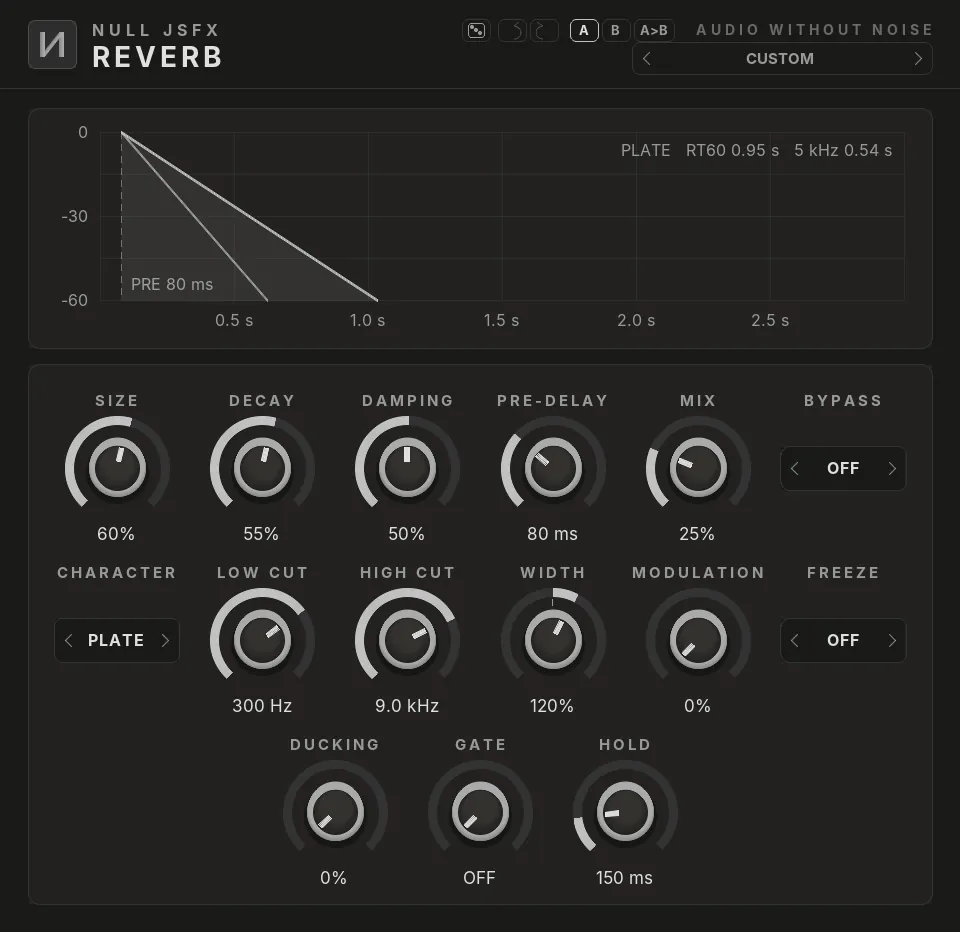
Click a plugin in the list to see it. The pictures are the real NULL JSFX GFX interfaces, drawn with this chain's settings; the window around them is drawn by this site, so REAPER's own frame looks a little different.
The settings
What the chain changes from each plugin's defaults. Every control stays free to change after you load it.
1Reverb
- Room Size60%
- Decay55%
- Damping50%
- Mix25%
- Pre-Delay80 ms
- Low Cut300 Hz
- High Cut9000 Hz
- Width120%
- CharacterPlate
2Saturation
- Drive15%
- Mix40%
- ModeTape
Modulation
- Macro 1 moves Reverb · Mix by +30%
- Macro 2 moves Reverb · Decay by +25%
In REAPER an LFO is a parameter modulation and the envelope an audio control signal on the control it moves; a macro is the control with the largest depth, and the others follow it through parameter links. The Rack preset of the same name has them as real LFOs, envelope and macro knobs.
Load it
- Install NULL JSFX with the Hub or the JSFX download: the chains come in its
FXChainsfolder. - In REAPER, open a track's FX window and pick FX → Add FX chain, then NULL JSFX (REAPER's sliders) or NULL JSFX GFX (our interfaces), then Abbey Chamber.
- In any other DAW: load the NULL JSFX Rack (VST3 or CLAP) and pick its preset Abbey Chamber.