MULTIBAND DISTORTION
Three saturation stages on the lows, mids and highs, each with its own character.
JSFXGFXPIN ROUTINGRACK PRESET
Signal flow
As it opens in REAPER
FX: Multiband Distortion
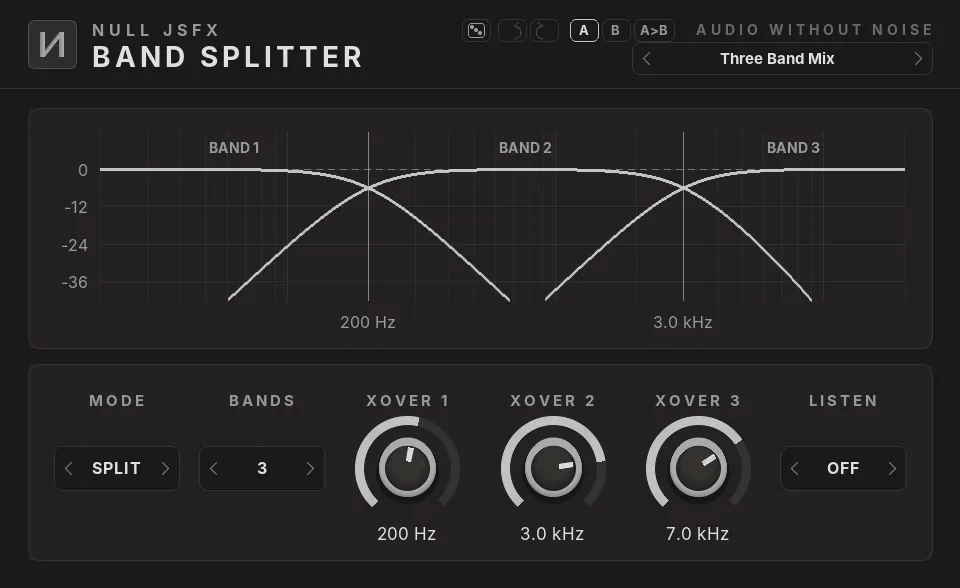
Click a plugin in the list to see it. The pictures are the real NULL JSFX GFX interfaces, drawn with this chain's settings; the window around them is drawn by this site, so REAPER's own frame looks a little different.
The settings
What the chain changes from each plugin's defaults. Every control stays free to change after you load it.
1Saturation Low
- Drive40%
- Tone−2 dB
- Mix100%
- ModeTube
2Saturation Mid
- Drive35%
- Mix80%
- ModeOverdrive
3Saturation High
- Drive25%
- Tone2 dB
- Mix60%
- ModeTape
Load it
- Install NULL JSFX with the Hub or the JSFX download: the chains come in its
FXChainsfolder. - In REAPER, open a track's FX window and pick FX → Add FX chain, then NULL JSFX (REAPER's sliders) or NULL JSFX GFX (our interfaces), then Multiband Distortion.
- In any other DAW: load the NULL JSFX Rack (VST3 or CLAP) and pick its preset Multiband Distortion.
Download free
Part of NULL JSFX 4.1: 174 plugins and 89 FX chains, free and open source (MIT).